Skip to main content
Modify/check a printer connection
- Click the printer connection icon
- Click Open printer settings
- Enter the password – this is the password that you chose in the Onsite setup (see Onsite Setup).
- Click OK
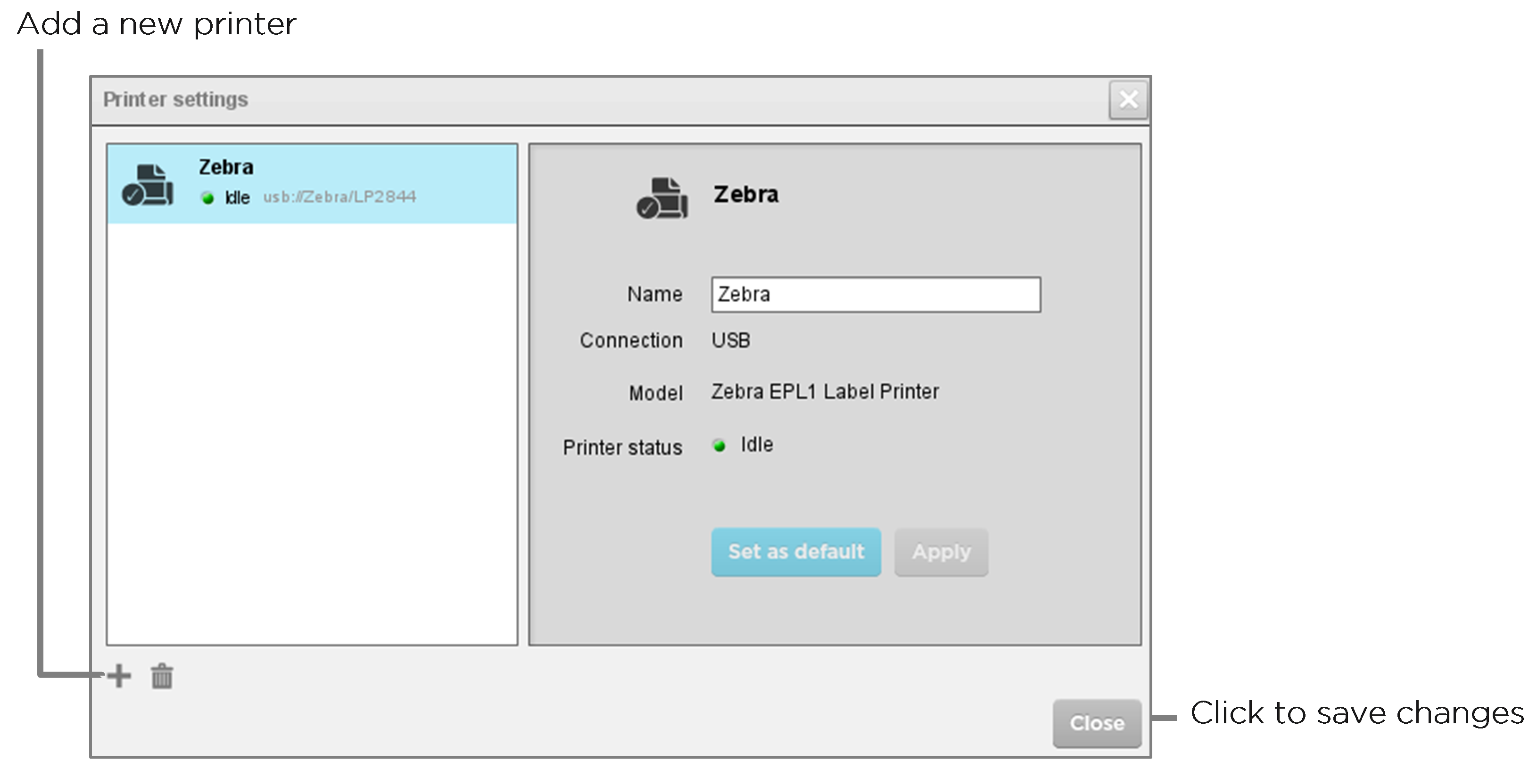
- If a printer is connected it will be listed on the left-hand side of the screen.
- Select a printer on the left-hand side to display its properties
- Make any changes required
- Click Apply. or, if no changes have been made, click Close.

Comments
0 comments
Please sign in to leave a comment.